
Pause and resume leads
Pause when your crews are booked out, you are closing for a holiday, or you want to catch up on follow-up. There is no fee for pausing and no minimum time.
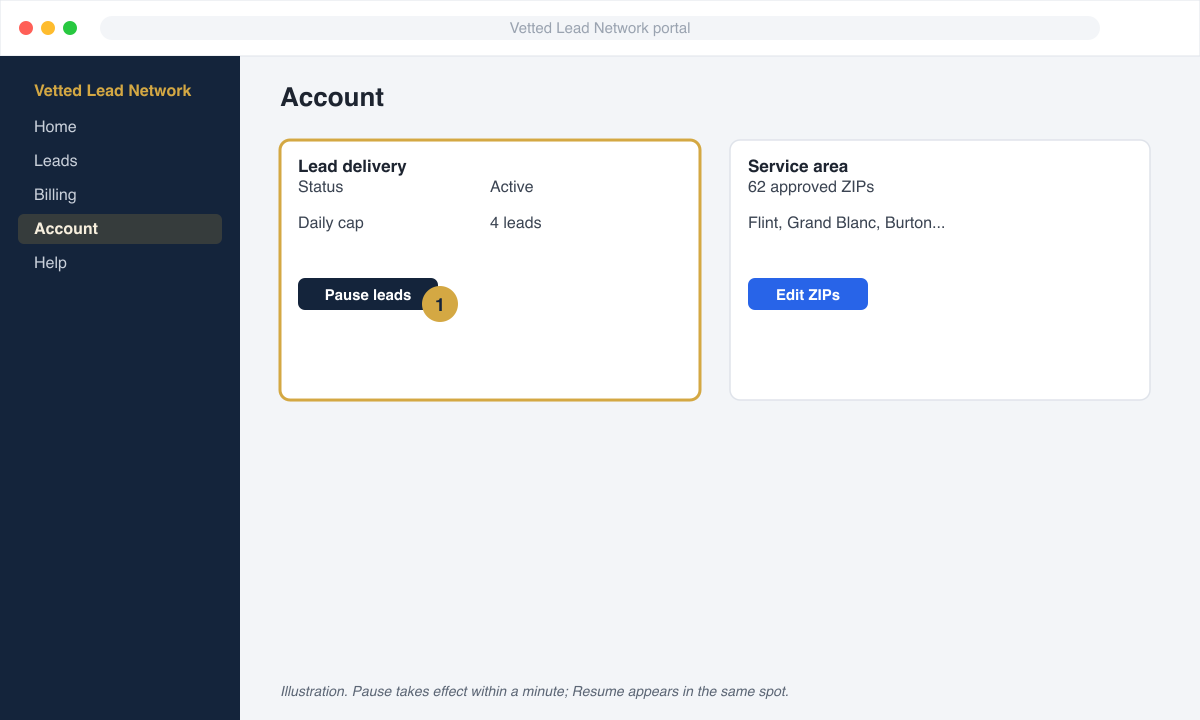
- Open Account in your portal.
- Click Pause leads. Confirm.
- Your status changes to Paused and we stop matching homeowners to you within a minute.
- When you are ready, click Resume leads. Matching starts again immediately.
Other ways to control volume
Section titled “Other ways to control volume”- Daily cap. Set the most leads you want in a day on the Account page. Once you hit it, homeowners in your area go to the next partner until tomorrow.
- Service area. Remove ZIPs you cannot serve from your approved list on the Account page. Changes apply to leads delivered after the change.
- Exclusions. Tell us the roof types or jobs you do not want (metal, flat, mobile homes, repairs under a certain size). Leads matching a recorded exclusion are creditable.
Paused for a payment problem
Section titled “Paused for a payment problem”If your card fails twice in a row, we pause you automatically and the Account page says Paused, payment. You cannot resume from the portal until the open invoice is paid. See Update your card. Once it is paid, leads resume on their own.